The Purge feature controls how long data is retained for each flow. After data reaches the applicable retention period, it is permanently deleted.
Important: Purging occurs automatically according to your license's maximum retention period, even if you don't configure a custom retention period. If you enable a custom period, data will purge at the shorter of your custom period and the license maximum.
How Retention Works
Data retention is the length of time Chain.io stores data from your flow executions before automatically deleting it. This includes logs, files, and metadata. Managing retention helps with system performance, storage costs, and compliance with your internal data policies.
There are two levels of control. First, every workspace has a license-based maximum that's always active—data older than this limit is automatically purged. Second, you can configure a shorter retention period for individual flows. When you do, the system purges at whichever limit comes first: your custom period or the license maximum.
Once data is purged, it cannot be recovered.
Data Retention Settings
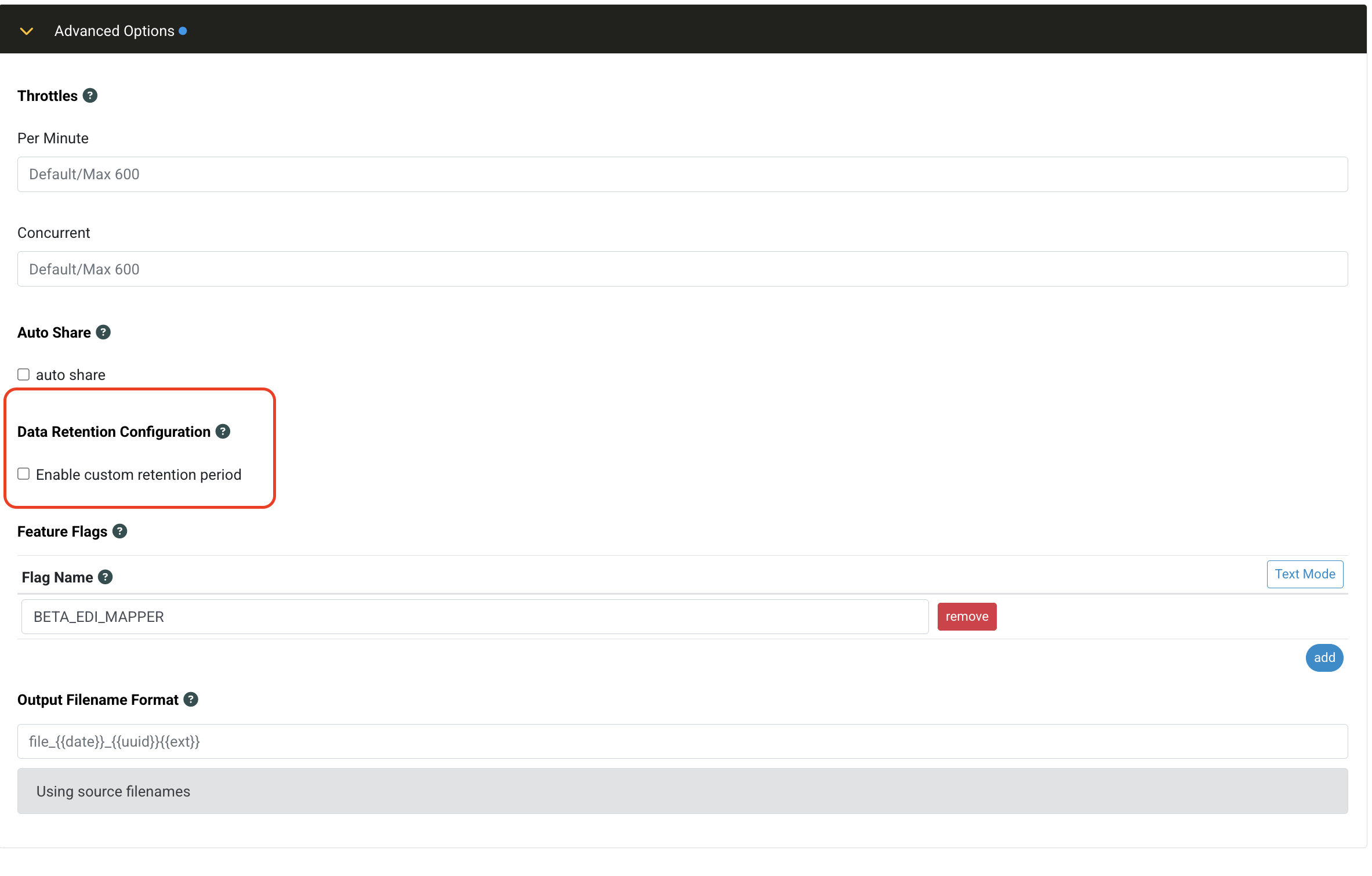
To configure retention for a flow, go to the Flow Configuration page and open the Data Retention Configuration section.
You'll find a toggle labeled Enable custom retention period. Turn it on to set a custom retention period for this flow. Leave it off to use your license's maximum retention period.
When custom retention is enabled, enter the number of days in the Retention period field. The value must be at least 1 day and cannot exceed your license maximum—the UI will prevent you from entering a higher value.
This gives you fine-grained control. For example, you might keep mission-critical flows longer while purging test flows more frequently.
Retention Location in Flow Configuration
License Retention Periods
Your license tier determines the maximum retention period for your workspace. You cannot configure retention beyond these limits:
| License Type | Maximum Retention Period |
|---|---|
| No License | Up to 30 days |
| Connect | Up to 180 days |
| Transform | Up to 365 days |
| Enterprise | Up to 1,095 days (3 years) |
If your license expires or downgrades to a tier with a shorter retention period, there's a 30-day grace period before the new limits apply. During this time, your existing data keeps its current deletion date. After the grace period, deletion dates are recalculated using the new license tier's maximum.
When Deletion Occurs
Each execution record has a calculated deletion date based on your retention settings. Once that date passes, the system automatically deletes the data—typically within a few days of the scheduled date.
Once data is deleted, it's permanently removed and cannot be recovered.
What Data is Deleted
When purge occurs, the following data is permanently deleted:
- Execution logs and metadata
- Input and output files
- Intermediate work files
- Error details and debugging information
This ensures sensitive operational and transactional data doesn't persist beyond your configured or licensed retention period.
What Data is Retained
Chain.io retains some metadata internally for auditing and compliance purposes. The following is not deleted when purge occurs:
- Transaction status (e.g., success/failure)
- Associated data tags (metadata only, no payload content)
- Deletion timestamp for each execution
- Workspace, partner, and flow identifiers linked to the execution
This internal record is retained indefinitely but does not include payloads or execution logs—only metadata such as status, tags, deletion dates, and related identifiers.
Deployment Warning
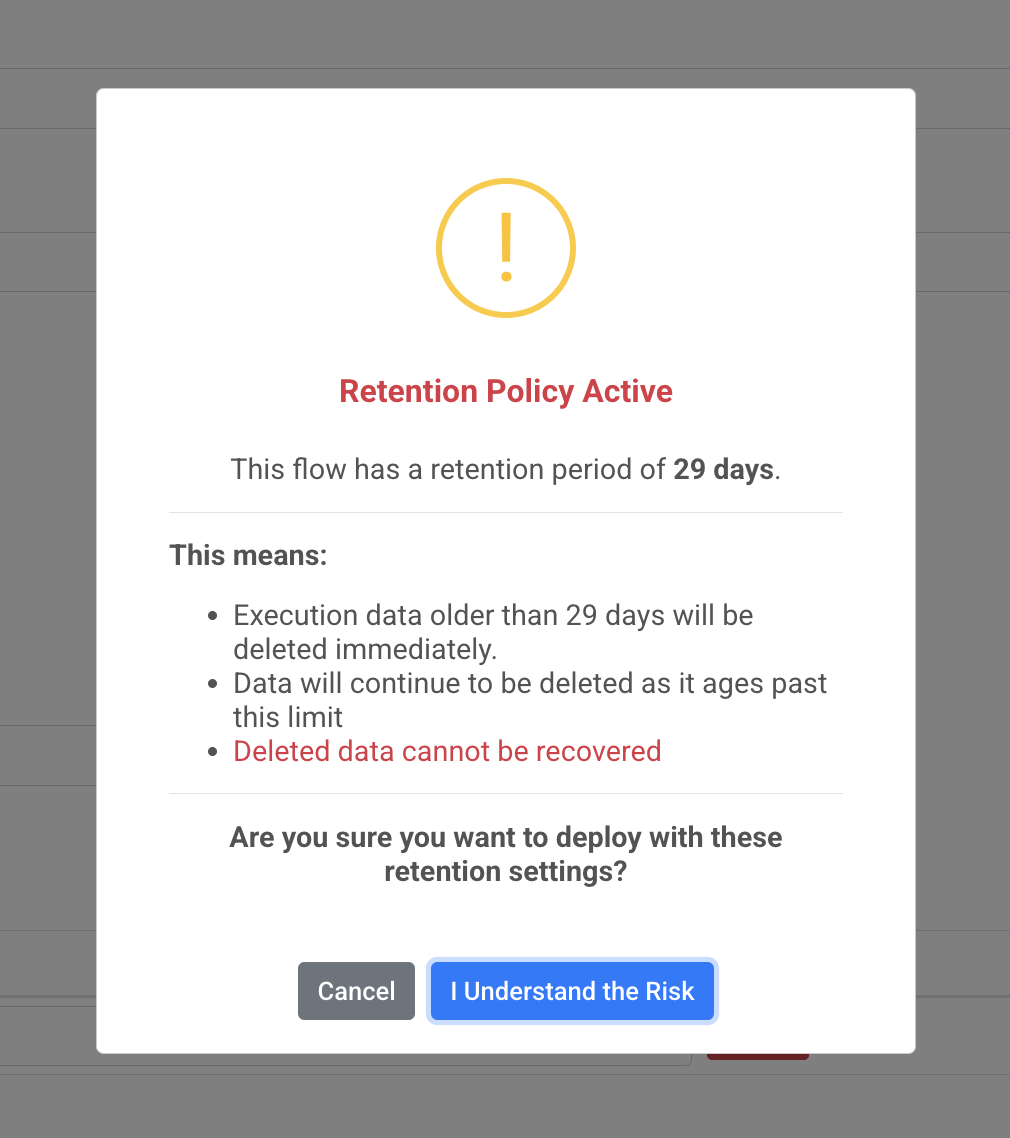
When you deploy a flow with custom retention enabled, you'll see a warning dialog titled "Retention Policy Active". This confirms that your configuration will result in permanent data deletion once records reach the retention threshold. Click "I Understand the Risk" to proceed with deployment.
Retroactive Enforcement
Retention is enforced based on your current settings, not the settings in place when data was originally created. This applies to both flow-level retention and license tier maximums.
Here's what that means in practice. Say you originally set a flow to retain data for one year, then on June 1 you change it to 30 days. Executions from May 1 or earlier will be deleted the next day—the new setting applies immediately to existing data.
The same applies to license changes. If your workspace was on an Enterprise license in January (3-year max) and you downgrade to Connect (6-month max) in September, all executions from January through March will be deleted. The license maximum always overrides the flow setting.
License Changes and Downgrades
When your license tier changes to one with a shorter maximum retention period, or when you reduce a flow's custom retention period, the system recalculates deletion dates for all affected executions.
Executions still within the new retention window keep their existing deletion date. Executions that would be immediately deleted under the new settings are given a 1-day buffer—instead of being deleted today, they're rescheduled for tomorrow. This prevents data from being removed the instant you change settings.
Viewing the Deletion Date
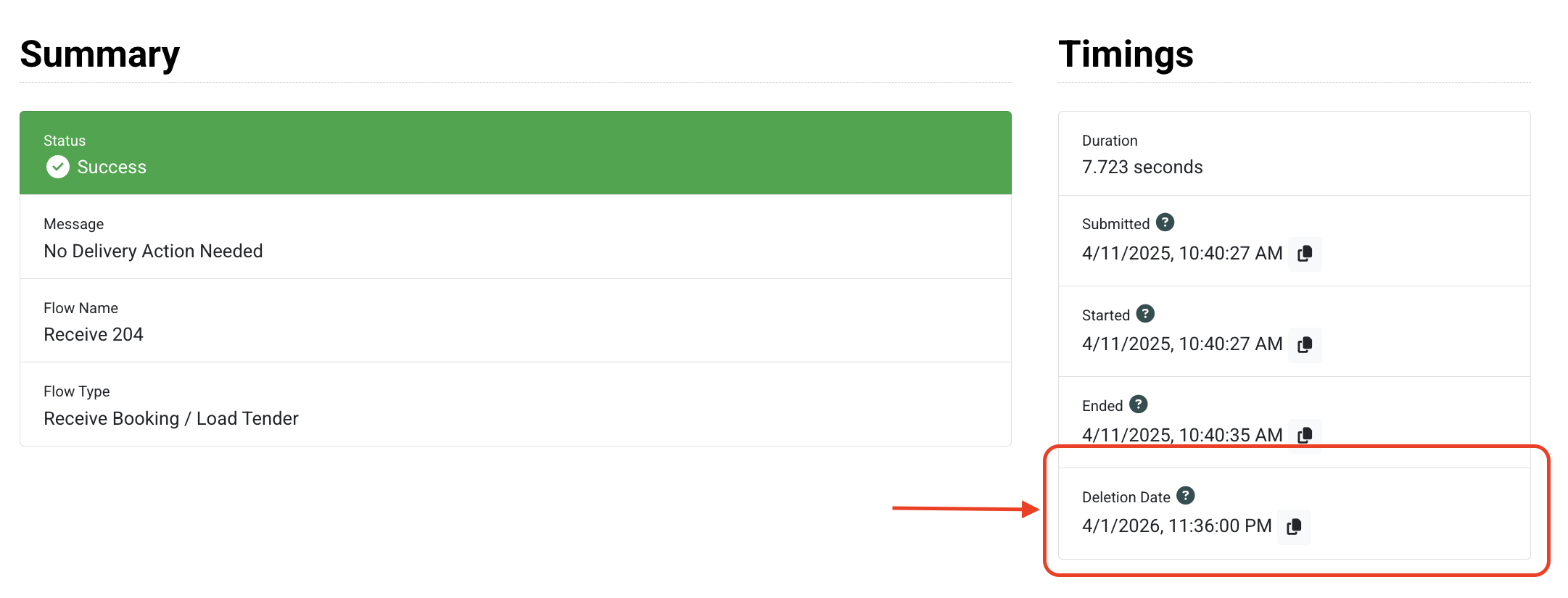
Each flow execution displays its Deletion Date in the Timings section of the execution details screen. This shows when the execution record and all associated data will be removed from Chain.io.
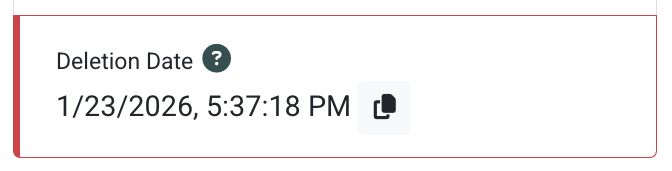
The display includes visual indicators based on urgency. Deletion dates more than 30 days away appear normally. Dates within 30 days show a yellow left border as a warning. Dates 7 days or fewer away show a red left border indicating critical urgency.
The deletion date is calculated using your configured retention period or license maximum, whichever is sooner. The system also enforces a minimum: the deletion date will always be the later of the calculated date or April 1, 2026.
Deletion Date Location on Flow Execution Screen
8 to 30 Days Until Deletion
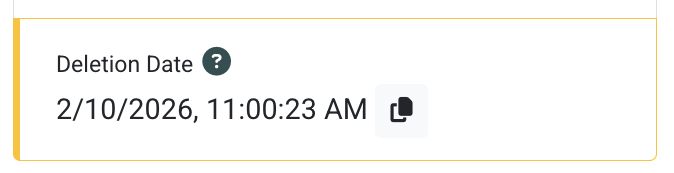
7 Days or Less Until Deletion
Best Practices
- Review flow settings regularly, especially after changing license tiers.
- Use shorter retention times for testing or high-volume flows to manage storage efficiently.
- Export logs and files you want to keep before they're deleted.
Was this article helpful?
That’s Great!
Thank you for your feedback
Sorry! We couldn't be helpful
Thank you for your feedback
Feedback sent
We appreciate your effort and will try to fix the article