Archiving lets you hide an integration you no longer actively use from your workspace — it disappears from your dashboard, integration lists, and navigation — without deleting any of its configuration or history. You can restore it at any time by unarchiving.
Use it to declutter your workspace when an integration is retired or paused, while keeping the option to bring it back later.
Note: Archiving is reversible and non-destructive. It hides the integration from everyday views; it does not delete flows, files, or execution history.
Who can archive
Archiving, unarchiving, and viewing archived integrations are limited to workspace Owners and Editors. Members with the Viewer role don't see the archive controls and can't view archived integrations.
Before you can archive
An integration can only be archived when it is fully wound down. Archiving is blocked while either of the following is true:
| Blocker | What to do first |
|---|---|
| It has one or more active (enabled) flows | Disable or remove those flows. |
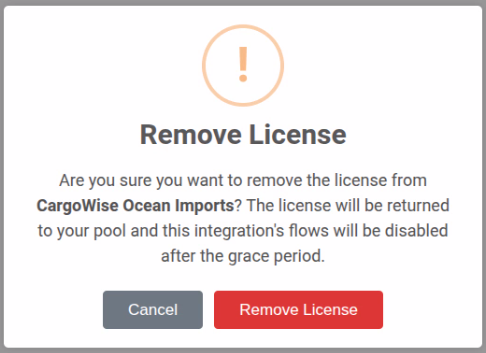
| It has an active license | Remove the license using Remove License (see below). |
If you try to archive an integration that still has active flows and/or a license, you'll see a dialog listing exactly what needs to be resolved first.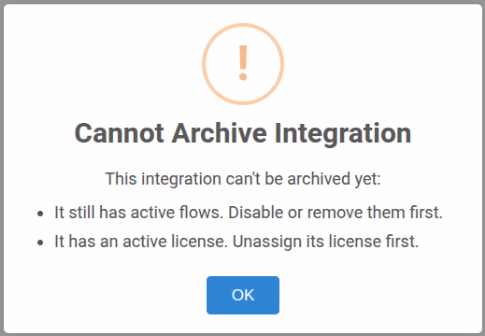
Removing a license
If the integration holds a license, open its Integration Settings and click Remove License. This returns the license to your workspace pool so it can be assigned elsewhere. The integration's flows will be disabled after the usual grace period.
Licenses are removed explicitly, on purpose — archiving never silently releases a license.

How to archive an integration
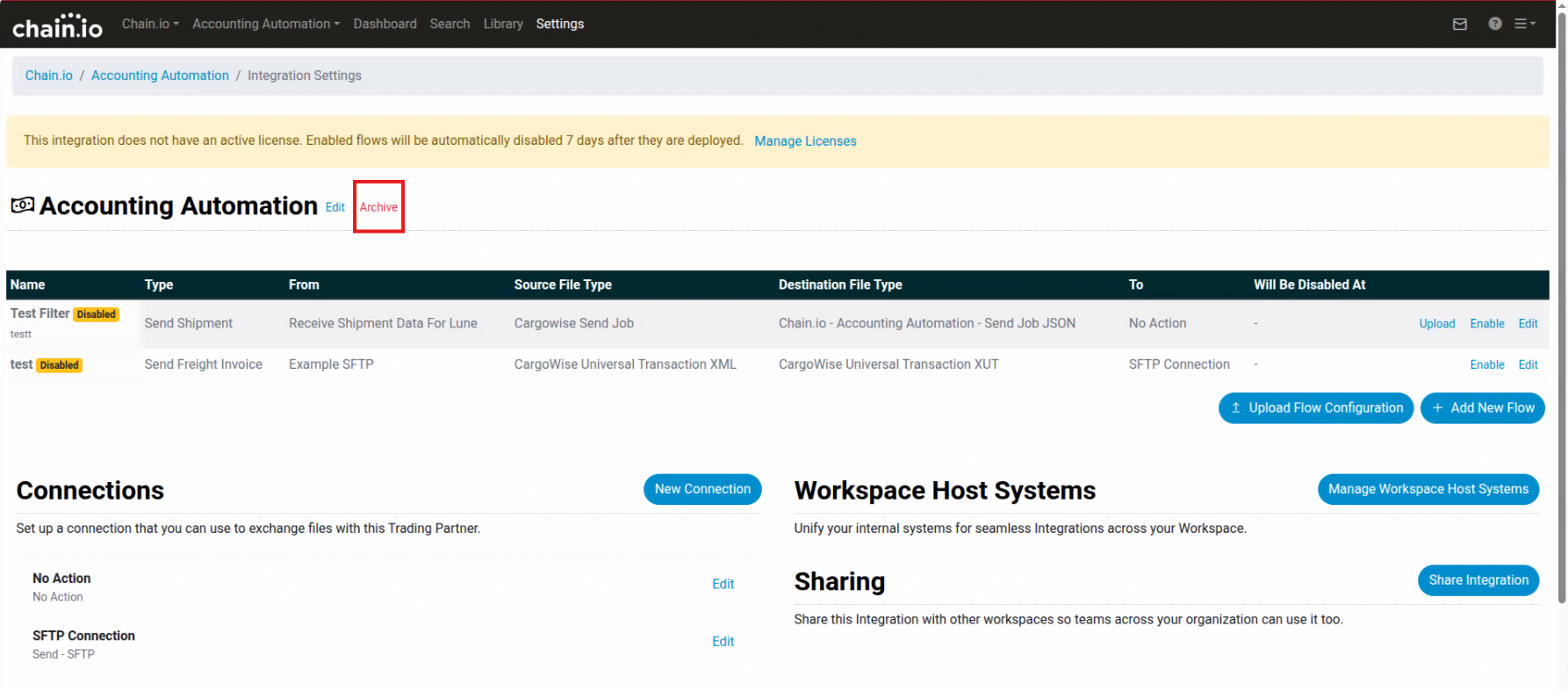
- Go to Settings → Integrations and open the integration you want to archive.
- In the integration's header, click Archive.
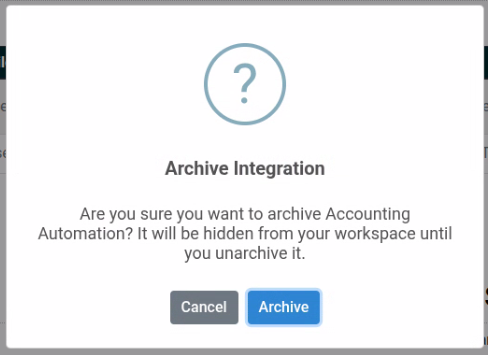
- Confirm in the dialog. (If the integration still has active flows or a license, you'll be told what to resolve first — see Before you can archive above.)
Once archived, the integration is removed from this view, and you're returned to the integrations list.
What happens when an integration is archived
- It's hidden from customer-facing views — the workspace dashboard, the integrations list, navigation, task lists, and integration pickers no longer show it.
- It's read-only — while archived you can't add new flows, upload flow configurations, or enable/deploy flows. These actions are disabled and an Archived banner appears on the integration's pages (in both the standard editor and the Visual Builder).
- Its configuration and history are preserved — nothing is deleted.

Viewing archived integrations
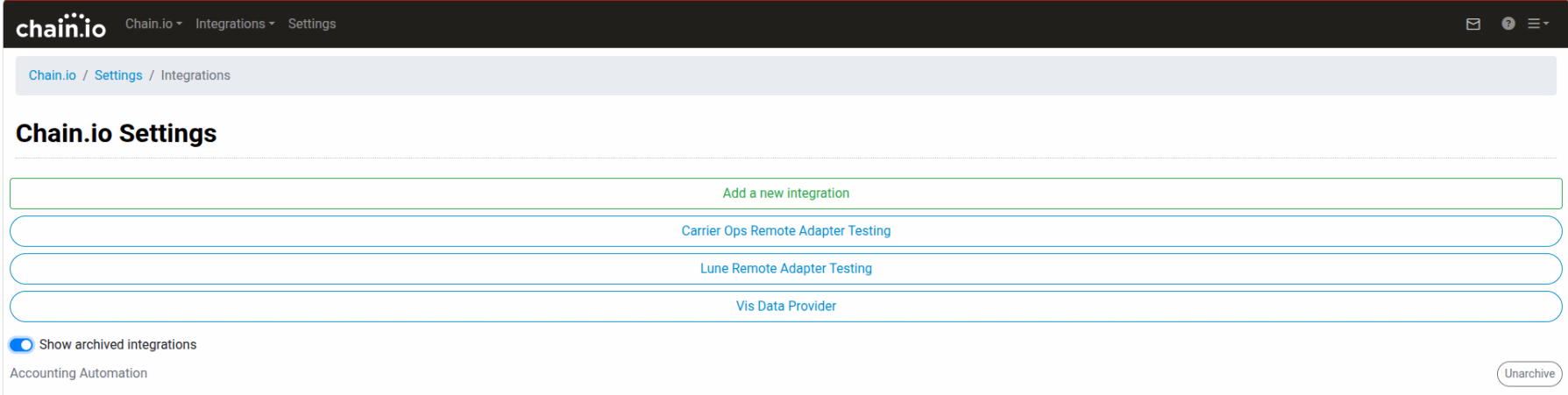
Archived integrations are hidden by default. To see them (Owners/Editors only), turn on Show archived integrations. This toggle is available in two places:
- Settings → Integrations list
- The Integrations panel on the workspace dashboard
Archived integrations appear with an Archived badge and an inline Unarchive action. On the dashboard, an archived integration shows "Flows hidden while archived" in place of its flow list.
How to unarchive an integration
You can unarchive from any of these places (Owners/Editors only):
- The integration's Integration Settings page — click Unarchive.
- The Settings → Integrations list (with Show archived on) — click Unarchive next to the integration.
- The workspace dashboard Integrations panel (with Show archived on) — click the inline Unarchive.
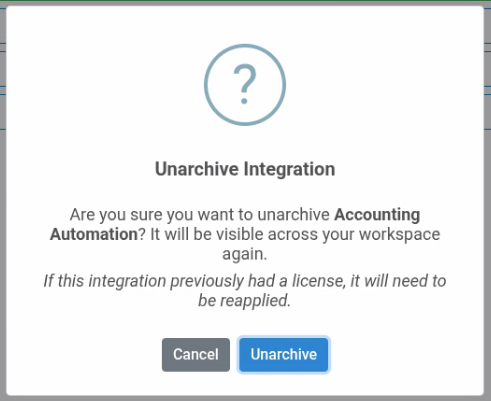
Confirm in the dialog. The integration becomes visible across your workspace again.
If the integration previously had a license, it will need to be reapplied. Unarchiving restores visibility but does not automatically re-assign a license.
Notes & FAQ
Does archiving delete anything?
No. Flows, files, configuration, and execution history are all preserved. Archiving only changes visibility.
Can a Viewer see or open an archived integration?
No. Archived integrations are hidden from Viewers entirely — they won't appear in any list, and opening one directly shows an "integration not found / you don't have permission to view it" message.
Will an archived integration still process files or run flows?
Its flows must be disabled before it can be archived, so an archived integration is not actively running flows. While archived you also can't enable or deploy flows on it.
Do admins still see archived integrations?
Yes. Internal admin views are unaffected and continue to show every integration.
Related
Was this article helpful?
That’s Great!
Thank you for your feedback
Sorry! We couldn't be helpful
Thank you for your feedback
Feedback sent
We appreciate your effort and will try to fix the article